01
Upload a shot
Altitag reads the camera's own EXIF — position, compass heading, altitude — and finds what's nearby. No addressing required.
DJI_0482.JPGDONE
GPS 44.21°N · 69.06°WREAD
HEADING 312° · ALT 73MREAD
27 PLACES NEARBYRANKING…
Upload your drone shots. Altitag locates nearby grocery, parks, schools, transit and more — then lays out labels that sit cleanly over the scene. Skip the research. Skip the Photoshop. Ship the listing.
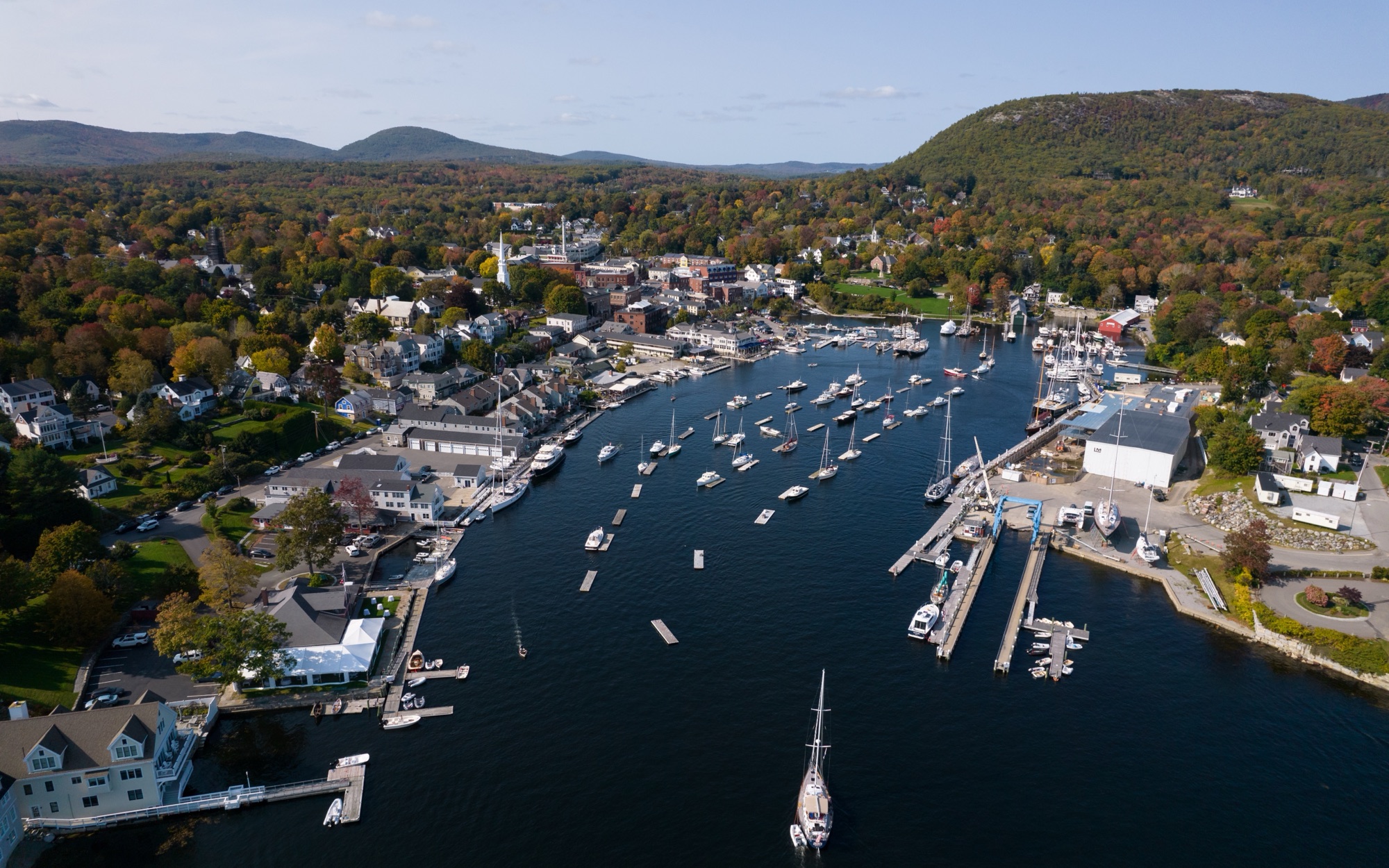
Altitag reads the camera's own EXIF — position, compass heading, altitude — and finds what's nearby. No addressing required.
Review suggestions ranked for buyer relevance in a simple accept/reject stream. Each comes with distance, walk time and drive time.
Drag labels and leader lines — pinning a dot you know calibrates every other marker. Pick one of four styles and an accent that matches your brand.
Download with annotations baked in — JPEG, PNG or WebP, web or full resolution. Your original stays untouched.
Enhance listing photos with neighborhood context. Show buyers what life around the property looks like — nearby parks, schools, dining, shopping, trails, landmarks and local amenities, placed directly into the photo. Then choose a label style that fits the listing: bold broadcast graphics, refined editorial callouts, architectural overlays or a clean minimal look. Works with drone or curbside photos, as long as the image has GPS and a compass heading.
Photos: King of Hearts (Camden) · Nils Huenerfuerst (Tulsa) — Wikimedia Commons, CC BY-SA 4.0
Whether it's a buyer or a weekend guest, the first question is the same. Answer it on the photo itself.
Drone photography for realtors that does more than look good: aerial pictures of the property with the grocery run, the school district and the commuter rail labeled right on the shot, with real walk and drive times.
Let guests see what's steps from the door — the coffee shop, the beach access, the trailhead. An annotated hero photo answers "what's around?" before they book.
Give guests a bird's-eye guide to nearby attractions, dining and transit — made for the gallery page, the welcome book and pre-arrival emails.
Everything in the editor is free — unlimited photos, all four styles, full-resolution export. Pro upgrades the place data and removes the watermark — by the month, or by the image with a credit pack.
OpenStreetMap place data — community-maintained.
Every Pro feature, paid per image — for the occasional shoot.
Google Places data — verified, current businesses. Pays for itself with one listing photo.
Aerial photos already outperform — listings with them sell measurably faster, and most buyers now expect them. Callouts answer the question every aerial shot raises but can't answer alone: what's around here? One labeled image shows the grocery run, the school, the Metro stop — the location story that sells the property, not just the roof.
Graphical location callouts — the place name, its distance, and real walk and drive times — drawn over your aerial shot in one of four label styles. The result is a finished marketing image for a listing page, an Airbnb gallery or a hotel welcome book.
No. "Drone annotation" sometimes refers to tagging images to train computer-vision models — that's not this. Altitag makes visual callouts for people: buyers, guests and anyone else deciding whether a location works for them.
Never. The photo is read, annotated and exported entirely in your browser. Only the photo's GPS coordinates are sent out — to look up nearby places, elevation and travel times. Exports are re-encoded with GPS metadata stripped.
Any photo with GPS in its EXIF data — drone shots from DJI and similar are ideal because they also record heading and camera tilt, which lets Altitag place labels automatically. If a photo lacks that, you can set the direction manually and drag labels into place.
The free tier uses OpenStreetMap, community-maintained and occasionally out of date. Pro switches to Google Places — verified businesses, ratings and closure data. Either way, give annotations a glance before publishing; you know the neighborhood better than any database.
Yes — your photos stay yours, and so do the finished images. Free exports include a small Altitag corner mark; Pro removes it.